
![Christmas in Singleplayer (Snow Mod) [OUTDATED]](https://img.gta5-mods.com/q75-w500-h333-cfill/images/christmas-in-singleplayer-snow-mod/8c817e-GTA5%202016-12-19%2015-36-14-51.jpg "Christmas in Singleplayer (Snow Mod) [OUTDATED]")


321.970
1.299
321.970
1.299
Description
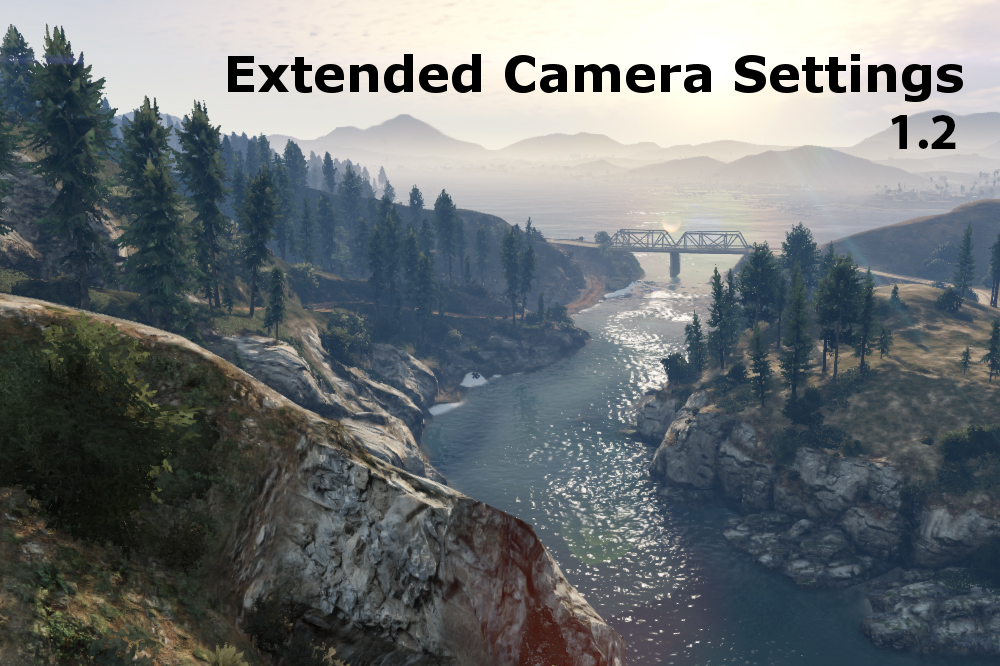
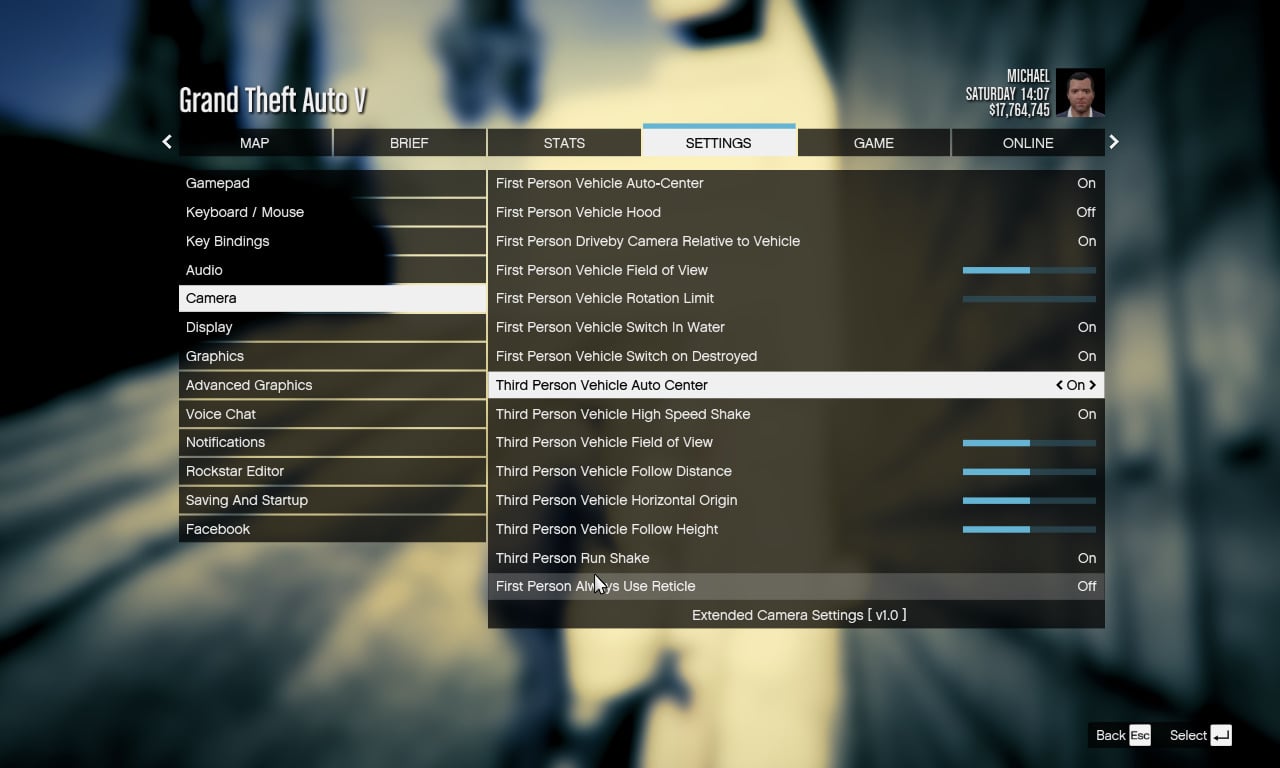
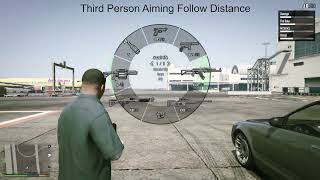
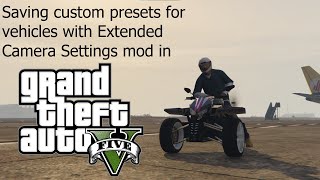
Serving as the successor to my previous (deprecated) mod "POV Camera Unlocker", this plugin provides various customizable options for the in- game cameras, allowing you to unlock many of the default limits set in place by Rockstar.
Requirements
ScriptHookV - http://www.dev-c.com/gtav/scripthookv
Microsoft Visual C++ Redistributable (2015) - https://www.microsoft.com/en-ca/download/details.aspx?id=48145
Important Info
If you are experiencing problems you may need to change permissions on your game folder so that the mod can save settings properly.
To do this:
1. Right click the Grand Theft Auto V folder and scroll down to properties
2. Uncheck the "readonly" box and click apply
3. Click OK to apply the changes to all subfolders and files
Installation
Move ExtendedCameraSettings.asi to your GTA installation folder.
Default Keybinds
Save camera settings: Control + B
Reload camera settings : F11
Usage
See included readme.txt
Contributors
@Reyser - Spanish translation
Source Code
https://github.com/CamxxCore/ExtendedCameraSettings
Please let me know if you run into any problems and feel free to leave your suggestions on how I can improve the mod. Thanks (:
Changes
v1.3.1
v1.3.0
v1.2.8
v1.2.7
v1.2.6
v1.2.5
v1.2.4
v1.2.2
v1.2.1
v1.2
v1.1.3
v1.1.2
v1.1.1
v1.1
v1.07
v1.06
v1.05
v1.04
v1.03
v1.02
Serving as the successor to my previous (deprecated) mod "POV Camera Unlocker", this plugin provides various customizable options for the in- game cameras, allowing you to unlock many of the default limits set in place by Rockstar.
Requirements
ScriptHookV - http://www.dev-c.com/gtav/scripthookv
Microsoft Visual C++ Redistributable (2015) - https://www.microsoft.com/en-ca/download/details.aspx?id=48145
Important Info
If you are experiencing problems you may need to change permissions on your game folder so that the mod can save settings properly.
To do this:
1. Right click the Grand Theft Auto V folder and scroll down to properties
2. Uncheck the "readonly" box and click apply
3. Click OK to apply the changes to all subfolders and files
Installation
Move ExtendedCameraSettings.asi to your GTA installation folder.
Default Keybinds
Save camera settings: Control + B
Reload camera settings : F11
Usage
See included readme.txt
Contributors
@Reyser - Spanish translation
Source Code
https://github.com/CamxxCore/ExtendedCameraSettings
Please let me know if you run into any problems and feel free to leave your suggestions on how I can improve the mod. Thanks (:
Changes
v1.3.1
- Support newer game versions through 1.0.3586.0
v1.3.0
- Supports newest game updates
v1.2.8
- Support newer game versions while maintaining backwards compatibility
v1.2.7
- Russian language support - crash fix
v1.2.6
- Russian language support from Des98
v1.2.5
- Support latest game version
v1.2.4
- Updates offsets for latest game version
- Fixes "Notification" config switch from not working properly
v1.2.2
- Fixed issue related to config file not being read properly
- Enabled saving to file by default
v1.2.1
- Support for game version 1.0.1365.1
v1.2
- Support for game version 1.0.1290.1
v1.1.3
- Changed metadata entries in the xml file to use more relevant names. Hopefully this will alleviate confusion for some users. (old xml files can be quickly converted with this tool: http://www.camx.me/gtav/convertpresets.php)
- Added a new option to toggle the "speed- zooming" feature when accelerating in a vehicle
- The INI option to save camera presets automatically in the xml file is now enabled by default
- CameraPresets.xml and ExtendedCameraSettings.ini will be loaded from the current directory of the .asi file instead of the base game directory
- Re-wrote the readme to be more readable and less confusing to the average user
v1.1.2
- Fix menu options not working after a game reload
- Settings in the menu update based on the current camera configuration
v1.1.1
- Fix crashing issue when reloading from a save
- Add spanish language support (thanks Reyser)
- Other less interesting stuff
v1.1
- Fully updated for the latest game version (what is it? I'm losing track)
- Added ability to set camera presets for individual vehicles and peds
- Added settings for third- person aiming camera
- Added some new settings to existing cameras i.e. Field of view
- Third- person auto- centering can now be fully disabled for gamepads
- Switched to XML format for camera settings
- Better loading times
- Less verbose log file
- Log file deletes itself when the script is unloaded
- Other bug fixes and performance improvements
v1.07
- Fixes problem introduced by the last version where settings would not survive a game restart
v1.06
- Fixed an issue with the nose- mounted camera on planes that have weapons (the camera no longer clips through the vehicle)
- Enabled a scrollbar in the menu
v1.05
- Fixed compatibility issues with PauseMenu extension API.
v1.04
- Added ability to set third- person view angle limits
- Setting in- vehicle POV offset now uses smaller increments when set from the menu
- Bug fix - Fixed an issue that could have caused crashes in certain cases
- Bug fix - Fixed a problem that caused values from the config file not to be applied properly after reloading the game
- Bug fix - Fixed a problem where the slider bars in the menu would sometimes show the wrong value
v1.03
- Stability- Added some more sanity checks when patching camera metadatas since it seems to be the cause of crashes for some people
- Added ability to customize in-vehicle POV camera offset
- Fixed some values in the config file that weren't set to their vanilla values by default
v1.02
- Stability- The plugin should no longer cause script hook errors or crashes
- Added a log file
- Re-added some stuff that was removed in the last version (Restore defaults button working again)
Првпат Додадено: Март 26, 2017
Последно Ажурирање: Октомври 28, 2025
Последно Симнување: пред 16 минути
All Versions
1.374 Коментари
More mods by CamxxCore:
Description
Serving as the successor to my previous (deprecated) mod "POV Camera Unlocker", this plugin provides various customizable options for the in- game cameras, allowing you to unlock many of the default limits set in place by Rockstar.
Requirements
ScriptHookV - http://www.dev-c.com/gtav/scripthookv
Microsoft Visual C++ Redistributable (2015) - https://www.microsoft.com/en-ca/download/details.aspx?id=48145
Important Info
If you are experiencing problems you may need to change permissions on your game folder so that the mod can save settings properly.
To do this:
1. Right click the Grand Theft Auto V folder and scroll down to properties
2. Uncheck the "readonly" box and click apply
3. Click OK to apply the changes to all subfolders and files
Installation
Move ExtendedCameraSettings.asi to your GTA installation folder.
Default Keybinds
Save camera settings: Control + B
Reload camera settings : F11
Usage
See included readme.txt
Contributors
@Reyser - Spanish translation
Source Code
https://github.com/CamxxCore/ExtendedCameraSettings
Please let me know if you run into any problems and feel free to leave your suggestions on how I can improve the mod. Thanks (:
Changes
v1.3.1
v1.3.0
v1.2.8
v1.2.7
v1.2.6
v1.2.5
v1.2.4
v1.2.2
v1.2.1
v1.2
v1.1.3
v1.1.2
v1.1.1
v1.1
v1.07
v1.06
v1.05
v1.04
v1.03
v1.02
Serving as the successor to my previous (deprecated) mod "POV Camera Unlocker", this plugin provides various customizable options for the in- game cameras, allowing you to unlock many of the default limits set in place by Rockstar.
Requirements
ScriptHookV - http://www.dev-c.com/gtav/scripthookv
Microsoft Visual C++ Redistributable (2015) - https://www.microsoft.com/en-ca/download/details.aspx?id=48145
Important Info
If you are experiencing problems you may need to change permissions on your game folder so that the mod can save settings properly.
To do this:
1. Right click the Grand Theft Auto V folder and scroll down to properties
2. Uncheck the "readonly" box and click apply
3. Click OK to apply the changes to all subfolders and files
Installation
Move ExtendedCameraSettings.asi to your GTA installation folder.
Default Keybinds
Save camera settings: Control + B
Reload camera settings : F11
Usage
See included readme.txt
Contributors
@Reyser - Spanish translation
Source Code
https://github.com/CamxxCore/ExtendedCameraSettings
Please let me know if you run into any problems and feel free to leave your suggestions on how I can improve the mod. Thanks (:
Changes
v1.3.1
- Support newer game versions through 1.0.3586.0
v1.3.0
- Supports newest game updates
v1.2.8
- Support newer game versions while maintaining backwards compatibility
v1.2.7
- Russian language support - crash fix
v1.2.6
- Russian language support from Des98
v1.2.5
- Support latest game version
v1.2.4
- Updates offsets for latest game version
- Fixes "Notification" config switch from not working properly
v1.2.2
- Fixed issue related to config file not being read properly
- Enabled saving to file by default
v1.2.1
- Support for game version 1.0.1365.1
v1.2
- Support for game version 1.0.1290.1
v1.1.3
- Changed metadata entries in the xml file to use more relevant names. Hopefully this will alleviate confusion for some users. (old xml files can be quickly converted with this tool: http://www.camx.me/gtav/convertpresets.php)
- Added a new option to toggle the "speed- zooming" feature when accelerating in a vehicle
- The INI option to save camera presets automatically in the xml file is now enabled by default
- CameraPresets.xml and ExtendedCameraSettings.ini will be loaded from the current directory of the .asi file instead of the base game directory
- Re-wrote the readme to be more readable and less confusing to the average user
v1.1.2
- Fix menu options not working after a game reload
- Settings in the menu update based on the current camera configuration
v1.1.1
- Fix crashing issue when reloading from a save
- Add spanish language support (thanks Reyser)
- Other less interesting stuff
v1.1
- Fully updated for the latest game version (what is it? I'm losing track)
- Added ability to set camera presets for individual vehicles and peds
- Added settings for third- person aiming camera
- Added some new settings to existing cameras i.e. Field of view
- Third- person auto- centering can now be fully disabled for gamepads
- Switched to XML format for camera settings
- Better loading times
- Less verbose log file
- Log file deletes itself when the script is unloaded
- Other bug fixes and performance improvements
v1.07
- Fixes problem introduced by the last version where settings would not survive a game restart
v1.06
- Fixed an issue with the nose- mounted camera on planes that have weapons (the camera no longer clips through the vehicle)
- Enabled a scrollbar in the menu
v1.05
- Fixed compatibility issues with PauseMenu extension API.
v1.04
- Added ability to set third- person view angle limits
- Setting in- vehicle POV offset now uses smaller increments when set from the menu
- Bug fix - Fixed an issue that could have caused crashes in certain cases
- Bug fix - Fixed a problem that caused values from the config file not to be applied properly after reloading the game
- Bug fix - Fixed a problem where the slider bars in the menu would sometimes show the wrong value
v1.03
- Stability- Added some more sanity checks when patching camera metadatas since it seems to be the cause of crashes for some people
- Added ability to customize in-vehicle POV camera offset
- Fixed some values in the config file that weren't set to their vanilla values by default
v1.02
- Stability- The plugin should no longer cause script hook errors or crashes
- Added a log file
- Re-added some stuff that was removed in the last version (Restore defaults button working again)
Првпат Додадено: Март 26, 2017
Последно Ажурирање: Октомври 28, 2025
Последно Симнување: пред 16 минути
 5mods on Discord

I don't really understand the issue by reading the comments, ig y'all expecting an update for the enhanced version, for me i'm still running legacy due to the lack of mod support for enhanced rn, but this mod it's making my game crash, any idea on how to make it work on the latest version of legacy, used to always use this mod and I'd love to use it again.
@anqyuz I'm running Legacy too mate, for me personally it doesn't crash. But instead none of my changes made to the Camera's, save. As soon as I exit the menu and back into the game, The Sliders just reset and nothing changes
get u offline and it will work
@CamxxCore Love this mod, I think the update broke it though. Can't get the 3rd-person vehicle auto-center to stay off despite being switched off in the settings.
@IamAtomic u mean pirated?
You invented a good mod, but haven't updated it yet. How are you?Are you dead ?
I hope this mod gets updated soon
@anqyuz According to Rockstar Games
, you can play in offline mode.
Might as well delete this crap if you ain't gonna update it...
@Ballsy probably this mod never update again very sad :(
ts just crashes after a few seconds in the game ts used to be amazing but rockstart did the most rockstar thing possible and screwed stuff up with the update
@sfX_real It’s honestly wild that people are still 1-starring this because “it crashes” after Rockstar updates literally broke a ton of mods. The creator even provided the source code on GitHub, so technically anyone in the community could update/fix it themselves instead of acting like the mod author owes lifetime support for a free release. Modding the game has always been a cat & mouse game every time Rockstar pushes an update.
@Dogdaysz Yes, no one should blame the author. The author is not obligated to permanently update this MOD. I think the best way is to play the unreleased version now. That's what I did. Rockstar always makes players nauseous when it comes to updating games
@DarkAsti where is the unreleased one please
It's crashing me to the desktop , why?
guys please help no matter what i do this mod does not work
This mod will need updating again, it is causing crashes to the desktop after about 2-5 minutes of playtime.
This is not the authors fault, this is due to rockstars updates breaking the mod again.
Love this mod and if the author updates it then we should be thankful! <3
@Dogdaysz i mean iam no coder and i dont get how even these mods work, why dont the author find a fix or even someone who fixed it and put it up on the website
hey when i try to open my game it crashes and i tried everything but when i try to take out the read only box and save it but i open it and it checks it self up
https://www.gta5-mods.com/tools/ultimate-fov-mod-2026
This mod is brand new and will be updated weekly until its perfect!